Facebook is the largest social media platform with more than 2 billion users which almost is one-third of the world population. The large number of users give it great potential for marketing and advertising. Advertising on Facebook isn’t about cost but it’s about profitability. Facebook advertising helps to get your business in front of the right people and connect them with your business. The flexibility with ads is an added advantage.
Facebook advertising overview
There are a few things to keep in mind while advertising on Facebook. These things if not understood well could end you up on the losing side. Various methods are there to advertise on Facebook. Among those creating a campaign can be helpful with business.
Creating a campaign is not a simple task. This advertising is a powerful tool. The business’s marketing goals can be achieved through the same. Learning how to get started is the primary goal. The next is to make ads that make sense. The ads that perform well and reach your intended audience is the best type. The primary advertising goal is to make the viewer reach the landing page. This is going to be an important component for your own advertising. The choice of target and budget are directly related. Once that is fixed the payment options are chosen.
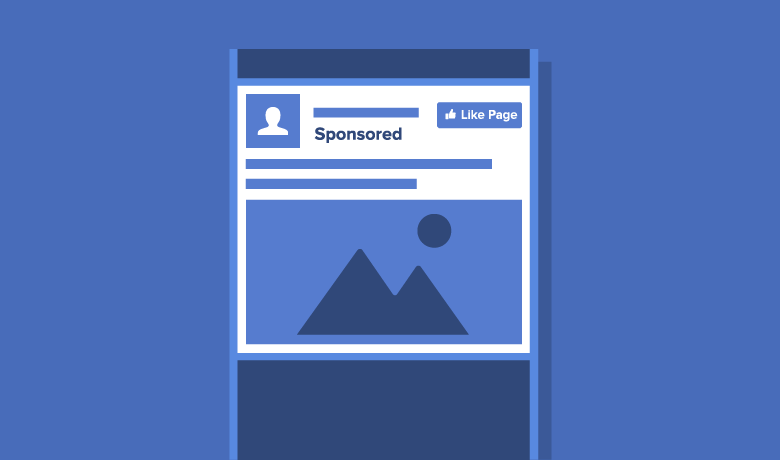
Giving an example, try to scroll through the newsfeed of your Facebook page and find a few sponsorship ads. These are the ones which will give you the idea of advertisements where they can take you.
How Facebook Ads work
The advertisement campaigns on Facebook have different types of objectives. Simply speaking, what exactly you want your audience to do once they see your ad is the objective you decide. Facebook has different targeting options, the more relevant the ads are the more successful it is. Targeting option which is very common is the location. If we have to promote the service or products in our locality, this option comes handy. The next option is the demographics. This deals with age, gender, or, education. The targeting of interest is a very good option. Other than interests, behavior can also be targeted. You can target people based on purchase habits, device usage, and even recent life events. The next option is targeting connections. People who liked the page, their friends and all are targeted like this. This can be helpful for promotional purposes. Another very important and powerful feature is the Custom Audiences targeting option. When we advance in the field of Facebook advertising, we can create custom audiences based on your own customer data. This includes emails, phone numbers, or user IDs. For example, if we upload e-mail addresses, Facebook will identify their Facebook account and show your advertisement just to them. This is more targeted. Upsell the existing customers is the clear-cut example of the scenario.
How to create Facebook Ads
For creating an advertisement, at first, we need a business page set up to start the proceedings. We first need to create a Facebook business page. There is an option to manage the advertisement named Ads manager, which will help to explore the various options in advertising.
Facebook will then guide you through the Ads manager dashboard which provides the best options for advertising. There is an option to create which helps to create the advertising on Facebook with our specific objectives. Facebook may slightly alter the objectives at times. Campaign is what we are focusing on now. There it will be shown in the top left corner as Campaign. We have to work on the objectives. The Campaign determines the primary objective of your advertisement. Now we decide the audience, placement of your ads and the budget. The timings of the ad are also important, this is also fixed now. Now the target is set. The creative headlines, catchy captions, and tag lines are to be made now. This will be what your target audience gets to see. Everything else is hidden from the audience. Decision time arrives now, the decision of objective, the goal for the ad. [Facebook Ad]
The call of action what the audience must do after they see the advertisement. Facebook breaks these into three main categories. The first is awareness. That is to generate interest in your product or service. When this option is selected the Brand awareness option, Facebook will serve the ad to people who are likely to be interested in it. The more information icon helps to load our specific page to lead to more chances. The second option is the consideration. The objectives here are to get people to start thinking about your business and look for more information on it. This objective overlaps with the other. The third option is conversions, which is more likely. These are objectives that encourage people interested in your business to purchase or use your product or service. Facebook will measure how successful the ad was in achieving it. That’s measured is through the Facebook pixel, it tracks your website visitors and the actions that they take.
[Advertisement]
View your advertising data
Facebook’s ads dashboard is where you need to go to see all the advertisements made. Dashboard can be accessed by clicking on manage your ads section from the dropdown in the upper right-hand corner of your Facebook account. The ads manager will show all your data on the dashboard. It shows all your advertisements and allows you to check on their status, make changes, and update your bids.
They are four different tabs, account overview tab, campaigns, ad sets, and ads. Facebook rolls out different dashboards and different features to different people at different times, still information the same. Checking the date range at the top is very important. This is going to tell the timeline of information that Facebook polls. Choose from the date presets at the right. Once you have your date range specified, an account overview can be done. Now check the spending limit and stuff to understand the range at which we spend. The deadline is then set to understand the total amount. The total number of clicks can be viewed, along with the no of views. Now the objectives should be made more specific if needed. The editing options are available at the top right corner. The history of editing can also be viewed. Check for the preview option before finalizing the changes. It can be scheduled to be posted. Use all the options to get the specific and most accurate output. The more you spend time learning the advertisement dashboard, the best advertisements are created.
Implement Best Practices
To implement best practices, we must first know what exactly the success rate is. Calculating the success rate a tedious task by analysis. In a Facebook campaign, it is easily done by Facebook itself. These campaigns that will make your ads more powerful and truly connect you with your targeted audience. To make the audience do a specific action, it should be made easy. Just a click could help to launch the page designed for the audience. Call to action button to appear on your ad itself, if you add a website URL.
Using the most relevant call to action button on Facebook is then only possible. Highlighting any major benefits from the product or if the product delivers more than the competition will also greatly increase your engagement. The catchy words and pressing offers really help in advertising. The scarcity principle that it’s only available for a limited time really pulls the trigger. The combined efforts will be most likely the strongest call to action. The use of simple, eye-catching images can be very crucial. Using an image that is relevant, which is high-quality, high-resolution, can easily woo the customers. The eye-catching images with great colors give a visual treat. The stock photography photos can be used which will never cost you a penny. The importance of people reviewing the advertisement created is very important. Since we are very close to our businesses, and sometimes we create advertisements that don’t quite speak to our audience because oftentimes, we aren’t our audience. Oftentimes we think it’s more obvious than it really is. Multiple variations of ad copy presented to the same audience with small changes at first can bring out the gem.
Conclusion
To create better ads that are more optimized and resonate with your audience, the objectives should be well defined. The objectives must be clear, and the call of action must be simple. The more clarity with creating the advertisement using the Facebook campaign and the dashboard facilities will lead to better opportunities for the business. The use of catchy wordings and high-quality pictures is going to bring more prospects. For example, if you are doing organic fruits and vegetables online, clear clarity pictures of fresh fruits and vegetables are going to bring more prospects than a few words of description. At the same time, catchy captions and benefits of organic food with limited period offers, the scarcity principle, of course, will work. Facebook has myriad ways to advertise and promote, the proper usage can result in tremendous success.
References
Adams, M. (2019). Advertising on Facebook. [Video File]
Retrieved from https://www.linkedin.com/learning/advertising-on-
facebook-2/facebook-is-an-advertiser-s-dream?u=2109516
Stec, C. (2019). How to Run Facebook Ads: A Step-by-Step Guide to
Advertising on Facebook. Retrieved from
https://blog.hubspot.com/marketing/facebook-paid-ad-checklist
Newberry, C. (2019). How to Advertise on Facebook in 2020: The Definitive
Facebook Ads Guide. Retrieved from
https://blog.hootsuite.com/how-to-advertise-on-facebook/
 Basil Thomas Kallingal